How to Use an On-Page SEO Checker Without Chasing a Perfect Score
Review metadata, content, links, crawl signals, and structured data in the order that affects search visibility and users.
In this guide
An SEO checker can return a long list of findings. Treating every row as equally important wastes time.
Start with issues that can keep the page out of search, then fix problems that change how the result appears or how well the page answers the query. Cosmetic score improvements come last.
The on-page SEO checker prepares a check for one public URL and carries it into your FlexQueries account. Sign in to review the estimate and run the paid check; eligible new accounts can use their $1 starting balance. Use it on the exact canonical page you want people to find.
Confirm that search engines can use the page
Check the response status, canonical URL, robots directives, and crawl access first. Server errors and a processed noindex directive can keep a page out of search. A canonical pointing elsewhere needs investigation too: it is a signal about the preferred URL, not an absolute instruction Google must follow.
Google documents the main indexing controls in its robots meta tag and X-Robots-Tag guidance. Review both the HTML and response headers because either location can carry a directive.
The page should also be reachable through internal links. A sitemap helps search engines discover URLs, but it does not replace a navigable site structure. Link important pages from a hub, feature page, related article, or another page that users can reach.
Review the search result before the body copy
The title and meta description help describe the page to search engines. Google may generate a different title link or snippet from the page's content, so treat them as inputs rather than a guaranteed preview. Write a title that names the subject and gives the searcher a reason to choose the page. Keep it specific enough that another page on the site would not use the same title.
The H1 can be more descriptive than the title tag. They should agree on the subject without repeating each other word for word. A concise title can fit the result while the H1 explains the task or audience in more detail.
Use the SERP snippet preview to inspect the title and description together. Character counts are a practical editing aid, not a guarantee that Google will display every word.
Check whether the page answers the query
Read the opening section without looking at the audit score. A visitor should know what the page provides and whether it applies to them.
Compare the page with the current organic results. Search intent can change. A query that once returned product pages may now favor guides, tools, lists, or local results. The Google SERP checker shows the pages you would compete against.
Useful supporting sections depend on the page. A tool page may need instructions, metric definitions, limitations, an example, and common questions. A comparison page needs evidence, tradeoffs, and dates. Adding generic paragraphs to increase word count does not improve the answer.
Fix internal links with a purpose
Internal links help visitors move to the next useful page and help search engines understand relationships between pages.
Link descriptive phrases to the page that resolves the next question. A keyword research guide can link to a rank checker when the reader wants a current position. An audit guide can link to a schema tool when the finding involves JSON-LD. Avoid adding dozens of repeated links to every page.
Use ordinary crawlable links for internal navigation. Google documents link qualification, including sponsored for advertisements and paid placements and ugc for user-generated links. These attributes are not access controls; private content still needs authentication.
Use structured data that matches visible content
Structured data should describe what the page already shows. Google requires specific properties for each supported rich-result type. Do not invent ratings or reviews to satisfy a validator.
Breadcrumb and page markup are useful for describing the site's structure. FAQ markup can describe visible questions and answers, although Google limits when FAQ rich results appear. Validate the final page with Google's Rich Results Test and fix errors before warnings.
Recheck the page after deployment
Fetch the production URL, not only a local preview. Confirm the status, canonical, robots directives, title, H1, and structured data in the server-rendered HTML. Test the page at mobile and desktop widths so a technical fix does not leave the form or table unusable.
Use Search Console's URL Inspection tool for important pages after a meaningful fix. The indexing report will show whether Google discovered and processed the change. Rankings may take longer, so record the deployment date before judging the result.
The best audit outcome is a shorter list with clear owners. Fix crawl and index controls, improve the search result, strengthen the answer, and then clean up the lower-impact details.
Turn a report into a repair queue
An audit becomes useful when each finding has a next action. A simple queue can separate urgent access problems from editorial improvements without pretending every warning has a measurable ranking impact.
| Finding | What to verify | Practical next action |
|---|---|---|
| Important page returns an error | Is the problem repeatable on the production URL? | Restore the page or redirect it to an appropriate replacement. |
Unexpected noindex | Is it present in HTML or an HTTP header, and was it intentional? | Remove an accidental directive, then inspect the URL in Search Console. |
| Canonical points elsewhere | Are these duplicate pages, and which URL should be preferred? | Align canonical signals and internal links with that choice. |
| Repeated title | Do the pages serve distinct purposes? | Write distinct titles or consolidate genuinely overlapping pages. |
| Structured-data warning | Is the property relevant and supported by visible information? | Add accurate information if available; do not invent it. |
Assign an owner and a verification step to each repair. "Improve SEO" is hard to finish. "Restore the pricing-page link in the mobile menu and check it at 390px" is work someone can complete and review.
Know what a single-page check leaves out
A single URL check can inspect that page's returned data. It cannot establish that every route works, that Google indexed the page, or that an interactive purchase flow succeeds. JavaScript rendering, authentication, robots restrictions, and provider coverage can limit what is available.
Use a broader site audit to look for repeated problems across reachable pages. Keep the crawl bounded to the site and page count you need. Adding performance checks changes the work and its estimate, so review that choice before running it.
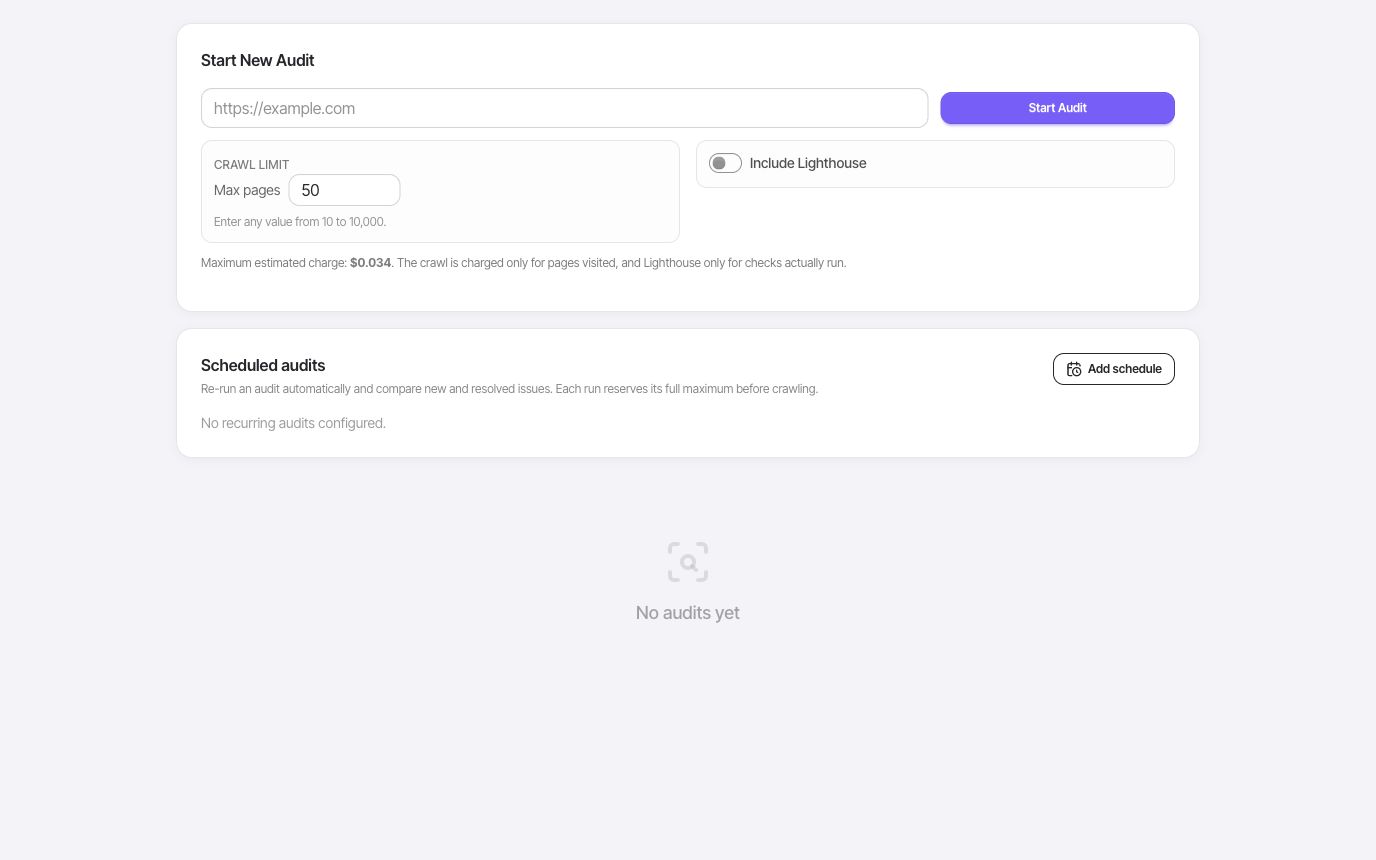
For a newly published article, a page check plus a browser review may be enough. For a navigation rebuild, inspect representative templates and run a crawl to find broken paths. For a checkout bug, test the application flow itself; an SEO score will not tell you whether a customer can pay.
Finally, keep a small before-and-after record: affected URL, finding, deployed fix, and verification result. That record makes it easier to distinguish a resolved problem from a report that simply stopped seeing the page.
Try the workflow with your own site, then use the results to decide what deserves your attention.
Explore the SEO tools