Rank Tracking
Rank tracker for monitoring keyword positions
Track keyword positions by domain, market, and device, review movement over time, and keep recurring ranking checks connected to your SEO research.
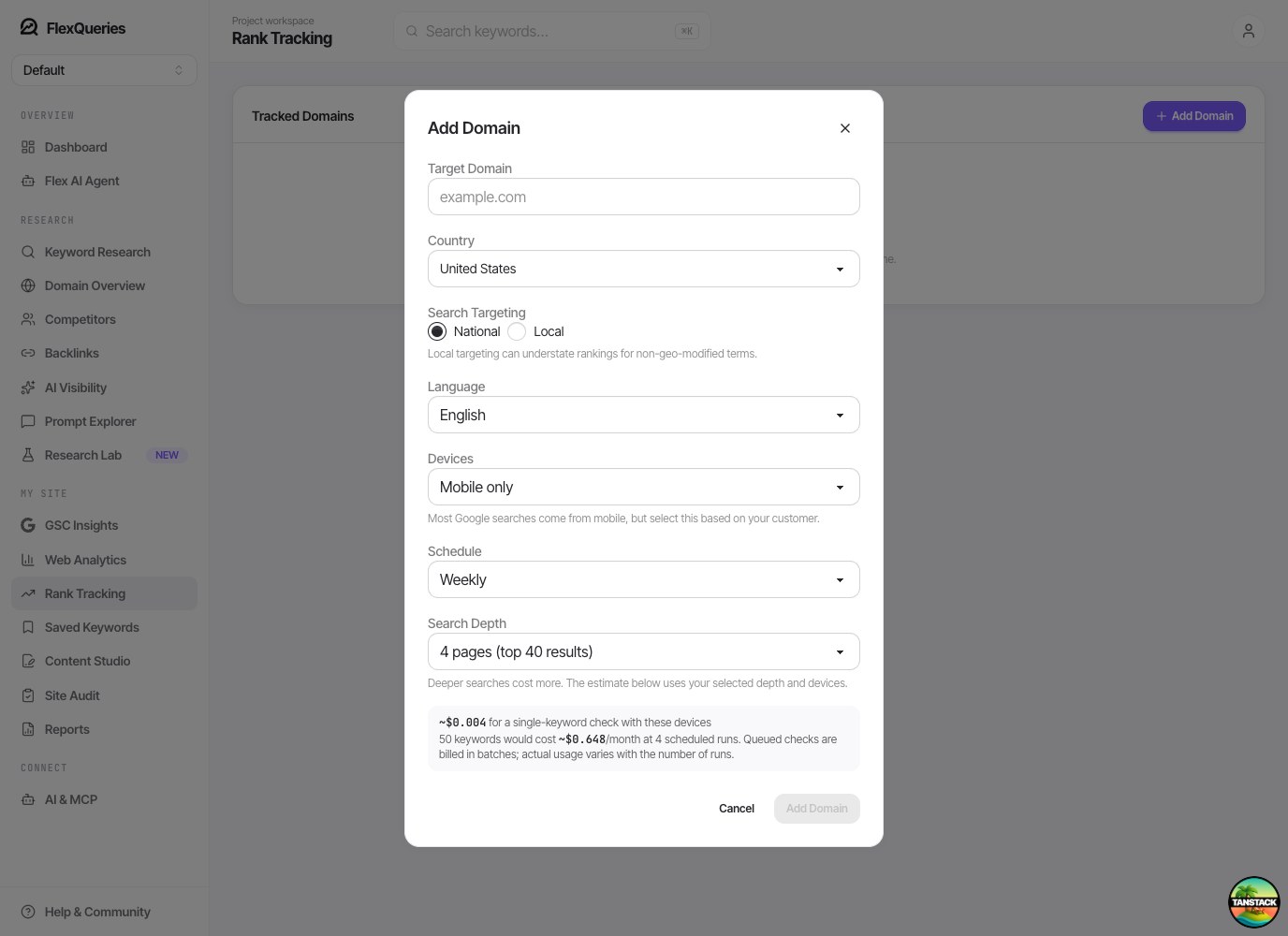
- Desktop rank
- Mobile rank
- SERP features
A closer look
Measure the searches your work is meant to improve
Choose a deliberate set of keywords and keep the measurement consistent. FlexQueries lets you control the domain, targeting, devices, and check schedule, then review position changes alongside the ranking URLs.
Make every tracker specific
Create a tracker for a domain and the market you want to measure. Choose mobile, desktop, or both, and add the terms that matter to your important pages. A consistent targeting setup makes later results easier to compare. Keep separate goals clear: a local service page and a broad informational guide may need different keyword sets.
- Domain and location
- Mobile or desktop
- Selected keywords
Choose a cadence that fits the work
Run manual checks or use a daily, weekly, or monthly schedule. The configuration shows estimates so you can understand the effect of your keyword count, search depth, and devices before saving. Tracking both desktop and mobile means two device checks per keyword. More frequent checks provide more observations and use more of your balance.
- Manual or scheduled checks
- Scope-based estimates
- Device-level billing
Look beyond a single position change
Review ranking URLs, position movement, the history matrix, and trend views to understand what changed over several checks. Investigate a sustained shift with keyword and SERP research before attributing it to a specific edit. Available SERP features add context to the result, while the underlying history helps distinguish a pattern from an isolated observation.
- Position history
- Ranking URLs
- Trends and SERP features
Put it to work
Follow a content refresh over several weeks
Choose a small keyword set tied to the pages being updated and record a baseline. Keep the market and device consistent, then compare later scheduled checks. If the ranking URL changes or the position keeps falling, inspect the current results and the page itself before making another round of edits.
A check is a snapshot for its configured market, device, and search depth. A keyword outside that depth has not necessarily disappeared from Google entirely.
One connected workflow
Your rank tracking workflow
Start with a focused question, inspect the evidence, and keep the useful work in your project.
- 01
Add tracked domains
Create rank tracking configurations for the domains and locations you care about.
- 02
Track important keywords
Add keywords manually or from ranking suggestions and monitor positions over time.
- 03
Compare SERP context
Review the configured device results, ranking URLs, movement, and available SERP feature signals.
Use cases
- Monitor target keywords after publishing content.
- Track launch, migration, and optimization impact.
- Keep ranking checks close to the keywords your team already researched.
Why FlexQueries
- Rank tracking is part of the same workspace as discovery, audit, and competitor research.
- Optional desktop and mobile tracking helps teams avoid one-dimensional rank reports.
- FlexQueries can expose ranking data to AI agents through MCP.
Keep the research moving
FAQ
A few useful answers
What is a rank tracker?
A rank tracker monitors where a domain appears for selected keywords over time so you can see whether SEO work is improving visibility.
Does FlexQueries track mobile and desktop rankings?
FlexQueries rank tracking can be configured for mobile, desktop, or both, so teams can compare devices when both are enabled.
How should I choose keywords to track?
Start with keywords tied to important pages, active content work, and competitor opportunities discovered in keyword research.
Pay as you go
Do the research. Pay for the work you run.
Create an account with no card, use the included balance, and add funds whenever you need more.