Prompt Explorer
Research the prompts shaping ChatGPT and AI-search answers
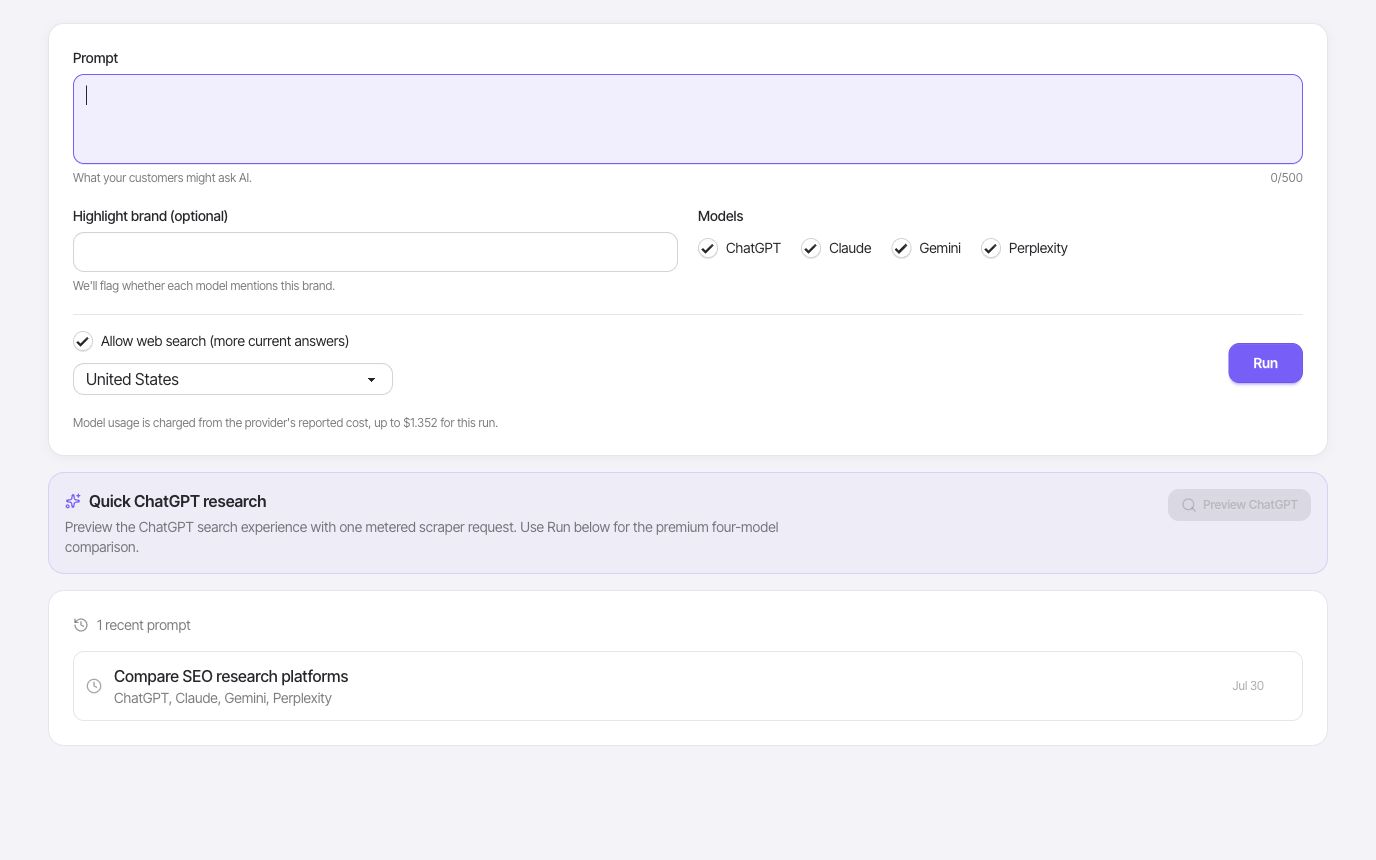
Run a customer question across supported AI models, compare the answers and returned citations, and inspect brand mentions with optional web-search context.
- Prompts
- Web context
- Web search country
A closer look
Ask one question. Examine each answer.
Prompt Explorer is for a focused experiment: the same prompt, selected supported models, and the answers and citations returned. Use it to inspect how a topic is described and which sources appear in the response.
Keep the comparison controlled
Enter a customer question and choose the supported models you want to compare. Use the same wording across the run so differences in the answers are easier to review. If you change the prompt, record what changed before comparing a later result. A pricing question, a product comparison, and a how-to question test different kinds of coverage.
- One prompt per comparison
- Supported model selection
- Saved run history
Review the answer and its cited sources
With web search enabled, inspect returned citations and the cross-model citation comparison. You can see which URLs recur across answers and which appear only in one result. Open the source pages to understand their relevance instead of assuming that every citation supports every statement in the response. Models can also return answers with no citations.
- Optional web search
- Citation URLs
- Cross-model comparison
Add brand and regional context
Set the available web-search country option for regional context and highlight a brand to inspect mentions in answers and cited sources. Use the results to identify questions that deserve better coverage on your site. Then check the topic with keyword, domain, or brand visibility research so one generated answer does not become the entire basis of your SEO plan.
- Web-search country
- Brand highlighting
- SEO research follow-up
Put it to work
Test how a product category is explained
Ask a concrete question a buyer might use, select a few supported models, and review the answers side by side. Inspect recurring citations and whether your brand is mentioned. Follow up with a more specific question if needed, keeping the wording and settings with your findings so a later comparison has useful context.
A model response is one observation, not a ranking or a promise of what all users will see. Prompt Explorer runs selected models; it is separate from the indexed ChatGPT and Google AI Overview mention reports.
One connected workflow
Your prompt explorer workflow
Start with a focused question, inspect the evidence, and keep the useful work in your project.
- 01
Test category prompts
Compare answers to the questions your customers might ask AI tools.
- 02
Inspect web-backed answers
When web search is enabled, inspect the pages and domains cited by model responses.
- 03
Check brand mentions
Highlight a brand and see whether each model mentions it in the answer or cited sources.
Use cases
- Compare how supported AI models answer the same prompt.
- Review which pages and domains appear in cited sources.
- Check whether a brand appears in AI answers and citations.
Why FlexQueries
- Prompt research lives in the same workspace as domain, keyword, and brand visibility workflows.
- FlexQueries treats AI search as a research layer, not a replacement for SEO fundamentals.
- FlexQueries MCP exposes keyword, SERP, domain, backlink, saved keyword, and rank-tracking tools to AI agents.
Keep the research moving
FAQ
A few useful answers
What is an AI search prompt explorer?
It lets teams run the same prompt across supported AI models, compare answers, and inspect citation URLs returned with supported model responses.
Why does prompt research matter for SEO?
Prompts reveal comparison, problem, and buying questions that can inform pages, guides, and the pages or domains that appear in returned citations.
Can this help with answer engine optimization?
Yes. Prompt Explorer is a starting point for mapping prompt responses and returned citations back to source pages and possible SEO follow-up work.
Pay as you go
Do the research. Pay for the work you run.
Create an account with no card, use the included balance, and add funds whenever you need more.