Saved Keywords
Track and organize the keywords that deserve follow-up
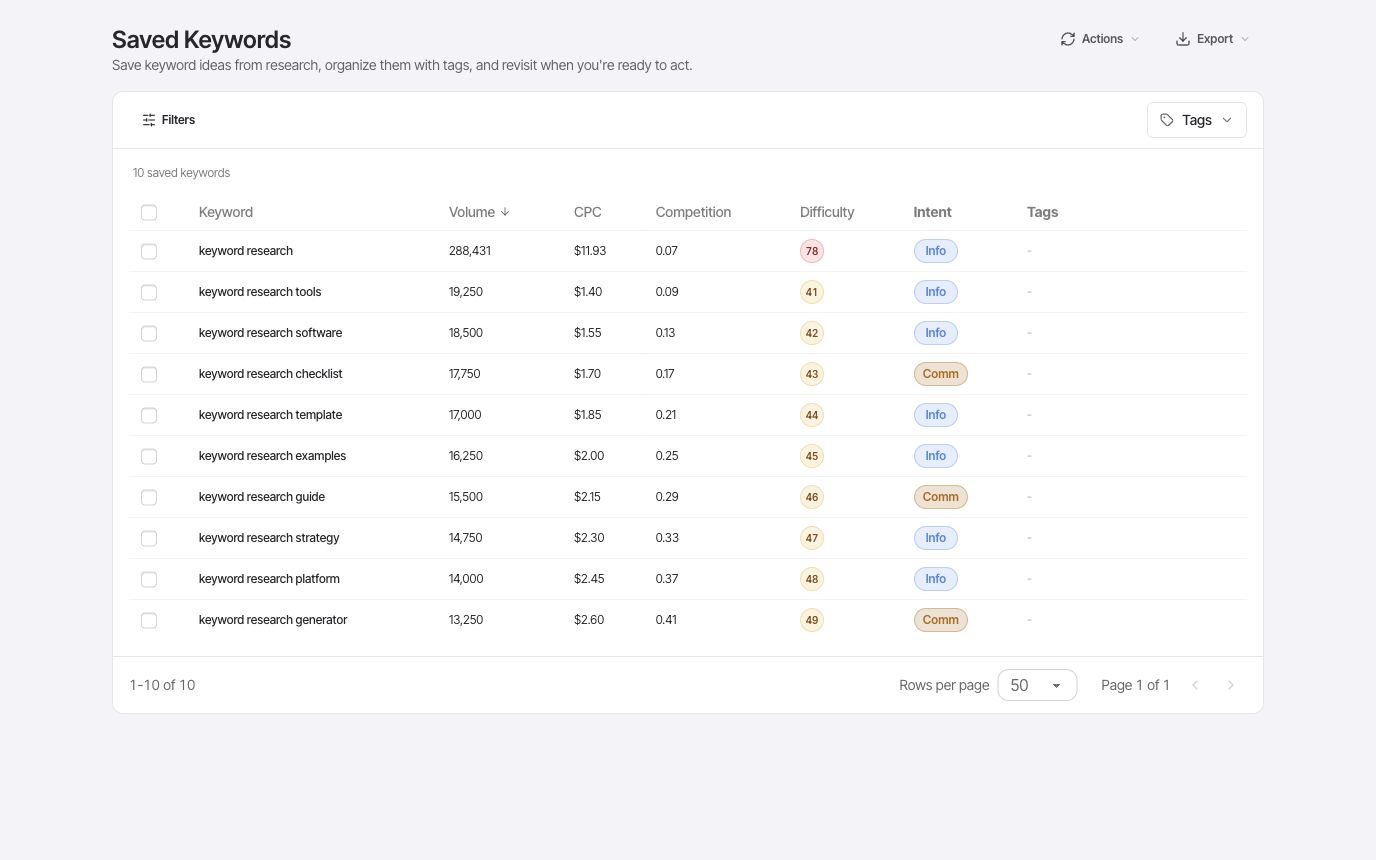
Save keyword ideas with volume, difficulty, intent, CPC, and tags, then use those lists for content planning, rank tracking, and agent-assisted research.
- Saved ideas
- Tags
- Volume
A closer look
Keep the reasoning behind your next content plan
Research is easier to reuse when the promising terms are organized in the project where the work happens. Saved Keywords keeps the available metrics and your tags together, so the next planning session starts with a shortlist.
Save the useful candidates while researching
Keep terms that fit your audience and potential pages instead of exporting every result you see. Saved keywords retain the available volume, difficulty, CPC, and intent fields, making it easier to compare candidates when you return. You can see the research context without reconstructing the same seed searches at the start of each session.
- Available keyword metrics
- Project-based lists
- Research continuity
Organize the list around real decisions
Use tags for topics, campaigns, target pages, or review priorities. Filter the list when planning a specific piece of work and apply tags in bulk when several terms belong together. A consistent tagging convention makes handoffs easier: another person can understand which ideas are ready to review and which still need SERP research.
- Tag filters
- Bulk tagging
- List export
Bring the shortlist into human and agent workflows
Use the saved list as a reference for content planning and for choosing keywords to track. Through MCP, an authorized agent can read and save keywords in the project as part of a research workflow. This gives the agent a durable place to keep useful findings, while you continue to review and organize them in the dashboard.
- Content planning
- Tracking candidates
- MCP read and write tools
Put it to work
Prepare a focused editorial planning session
Tag promising terms by the page you might create, then filter to one topic. Compare intent and demand, open the results for the strongest candidates, and export the shortlist if the team needs it elsewhere. Keep the tags meaningful enough that you can return next month and understand why each term was saved.
Saving a keyword does not automatically publish content or enable recurring rank checks. Choose the terms and configure rank tracking separately when you are ready to monitor them.
One connected workflow
Your saved keywords workflow
Start with a focused question, inspect the evidence, and keep the useful work in your project.
- 01
Save promising keywords
Collect useful ideas from keyword research instead of losing them after each search.
- 02
Organize by topic
Tag keywords by page, campaign, content cluster, or priority so planning stays readable.
- 03
Reuse saved keywords across workflows
Use saved keywords and tags as a planning reference for rank tracking, content planning, or MCP-powered research.
Use cases
- Tag keyword ideas into topic or page groups from keyword research.
- Prepare candidate keywords to add to rank tracking.
- Keep human and AI-agent research in the same workspace.
Why FlexQueries
- Saved keywords bridge research, tracking, and AI workflows.
- Saved keywords preserve available metrics like volume, CPC, difficulty, intent, and tags.
- The workflow stays simple enough for repeated planning sessions.
Keep the research moving
FAQ
A few useful answers
Why save keywords in an SEO tool?
Saved keywords keep research organized so teams can return to the ideas that are worth writing, optimizing, or tracking.
Can saved keywords be used with rank tracking?
Yes. Saved keywords are a natural source for deciding which terms should be monitored over time.
How do saved keywords fit into SEO planning?
Saved Keywords keeps promising ideas organized so they can inform content planning, rank tracking decisions, and future research.
Pay as you go
Do the research. Pay for the work you run.
Create an account with no card, use the included balance, and add funds whenever you need more.