Keyword Research
Find the keywords worth doing something about
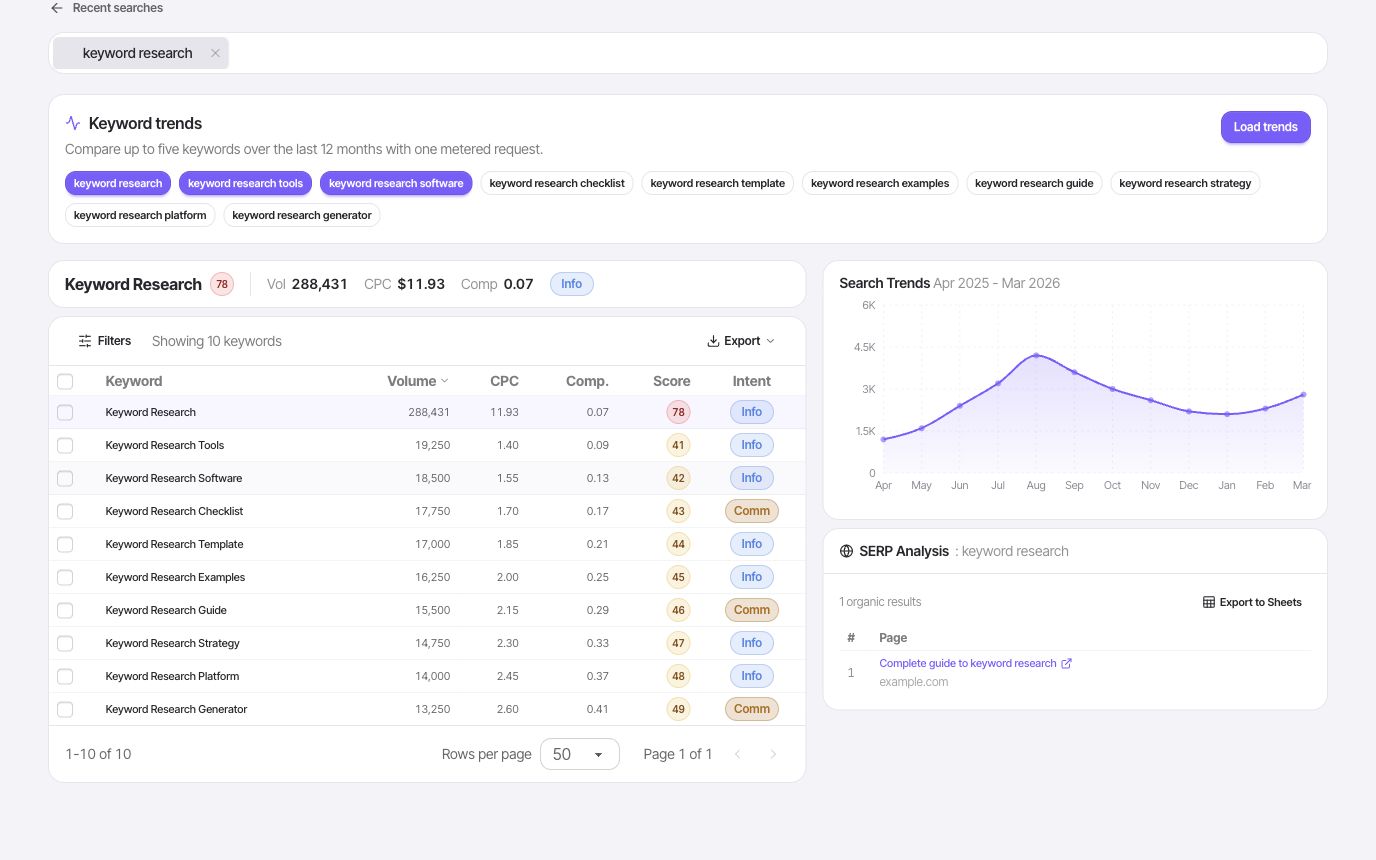
Start with a topic, uncover related searches, compare demand and competition, inspect the ranking pages, and save the opportunities that fit your site.
- Search volume
- Keyword difficulty
- CPC
A closer look
A keyword list is only the beginning
The useful question is which searches your site can answer well. FlexQueries puts demand, competition, intent, and the current results in the same research flow, so you can build a shortlist with a reason behind every term.
Compare demand in the market you serve
Start with a seed topic and review related terms with the available search volume, difficulty, CPC, and intent data. Use the target market when comparing opportunities: a phrase with useful demand in one country may tell a different story in another. Volume helps size an opportunity; it does not tell you whether the traffic will fit your business.
- Search volume
- Keyword difficulty
- CPC and intent
Read the results before you plan the page
Open the SERP to inspect the pages already ranking. Look for patterns in page type, angle, and depth: product listings, comparison pages, and tutorials answer different needs. A seemingly attractive keyword can be a poor fit when the search results favor a format your site cannot provide. Use the ranking pages to test your idea before committing to a brief.
- Ranking URLs
- Search-result context
- Competing domains
Keep the opportunities you can act on
Save the useful terms with their available metrics and add tags for the page, topic, or campaign they belong to. Return to that shortlist when choosing your next article or optimization. Once a page is published, use the selected keywords to decide what to add to rank tracking, keeping discovery and measurement tied to the same content decisions.
- Saved keywords
- Topic tags
- Rank-tracking follow-up
Put it to work
Plan a useful page for a coffee shop
Start with “cold brew coffee,” compare related searches, and inspect the results for the terms that fit your customers. If a term is dominated by recipes, decide whether you can publish a useful recipe before targeting it with a product page. Tag the chosen terms by page idea, then track a small set after publishing.
Keyword metrics are estimates and depend on market and available data. Use them to compare opportunities, together with the actual search results and your knowledge of the customer.
One connected workflow
Your keyword research workflow
Start with a focused question, inspect the evidence, and keep the useful work in your project.
- 01
Explore a topic
Enter one or more seed terms and build a practical list of related keywords with volume, difficulty, CPC, and intent.
- 02
Check what already ranks
Open the Google results for a keyword to understand the pages, domains, and search intent you would be competing with.
- 03
Build your working list
Save promising keywords, add tags, and carry the shortlist into content planning, rank tracking, or an agent workflow.
Use cases
- Turn a broad topic into a focused content backlog.
- Find attainable variants before committing time to a page.
- Compare keyword ideas against the pages already winning the SERP.
Why FlexQueries
- Research, SERP context, saved keywords, and tracking decisions stay in one project.
- Every metered action has a clear pay-as-you-go price instead of a monthly seat fee.
- The same keyword tools are available to connected AI agents through FlexQueries MCP.
Public research
Recent keyword reports
See the public version of a keyword report before running current research in your workspace.
Keep the research moving
FAQ
A few useful answers
What is FlexQueries keyword research best for?
It is built for moving from a seed topic to a prioritized working list. You can compare volume, difficulty, CPC, and intent, inspect the SERP, then save the terms that deserve follow-up.
Can I use FlexQueries as a free keyword research tool?
New accounts include a small balance so you can try the workflow without a card. After that, add funds whenever you want to keep going. There is no subscription.
Does FlexQueries show live search results?
Yes. Keyword research can be paired with SERP inspection so you can see ranking pages alongside the metrics.
Pay as you go
Do the research. Pay for the work you run.
Create an account with no card, use the included balance, and add funds whenever you need more.